Required packages
ST Localization contains all the files you need to work. You do not need additional packages or tools to use the plugin.
Features
Easy:
Add the languages you want to support, add a translation for each phrase, and update the text/image/sound etc. to localize them, all in just a few clicks!
CSV & TXT import/export:
Automatically load/upload localizations from text files to speed up your workflow!
Language Auto-Detection:
The language of your app will automatically be detected when the user starts the game, you can even pick the method to determine this!
Language saving:
If the user changes the language of the application in real time, his new choice will be automatically saved for the next time!
Text Mesh Pro:
Support for Text Mesh Pro Text components!
Lightweight Integration:
The API is purposefully designed to minimize unnecessary additions or extra burden on your project.
Support for component types for translation:
- Text;
- TextMesh;
- Image;
- Raw image;
- Sprite;
- Sound;
- Video;
- Mesh;
- Game object;
- Material;
- Texture2D (Material - MeshRenderer);
Components:
| STLocalization |
The main component is multi-platform and responsible for the availability of languages and translations. |
| TranslationObject |
An abstract class that is used for inheritance and performs binding translation functions. |
Platform support
ST Localization is a cross-platform solution that supports all platforms.
Limitations
ST Localization has no limitations.
Samples
Scenes:
| Localization |
An example of a scene that demonstrates how the plugin works with ST Localization and basic settings. |
Install ST Localization
To install ST Localization, simply import the package into your project.
Scene setup
Each scene in your application must have one mandatory GameObjects: ST Localization Manager.
GameObject ST Localization Manager initializes and controls the plugin's actions on the target platform If GameObjects is missing from the scene, localisation will not work properly.
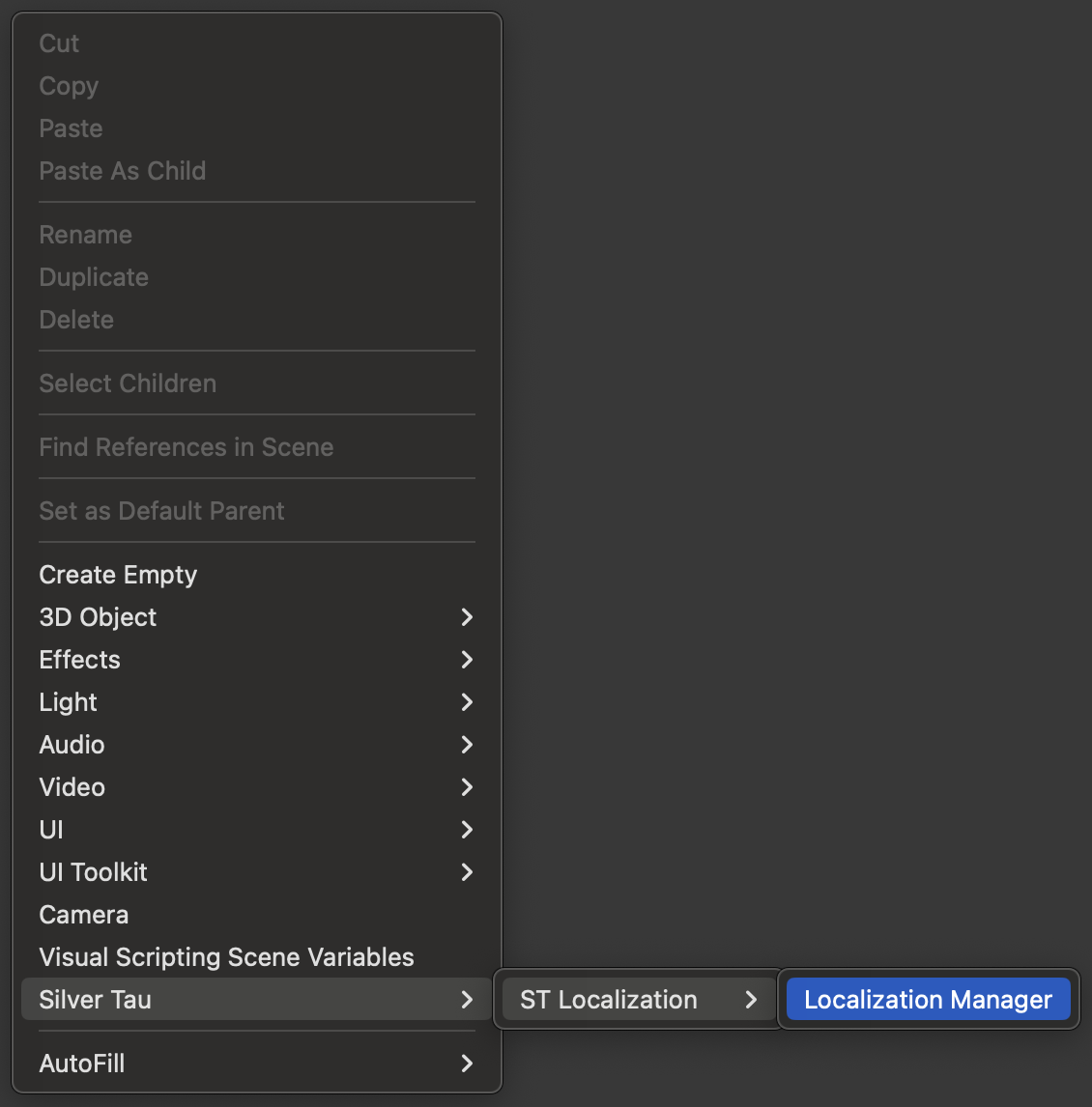
To create a ST Localization Manager, right-click in the Hierarchy window and choose one of the following options from the shortcut menu.
Silver Tau > ST Localization > Localization Manager
After adding the ST Localization to the scene, the hierarchy window will look like the one below.
This is the default scene setup, but you can rename or change the parentage of the GameObjects to suit your project's needs.
Add a translation:
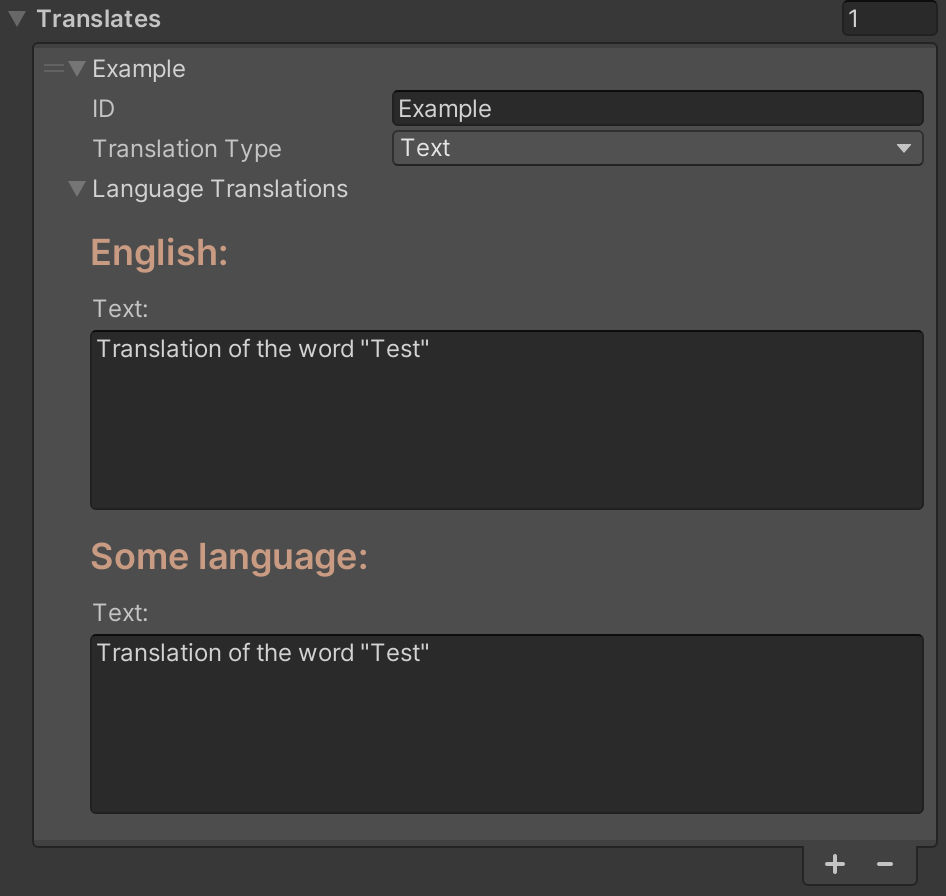
To add a translation, you need to go to ST Localization Manager and add a new translation.
Required parameters for translation:
- ID - unique identifier;
- Type - translation type;
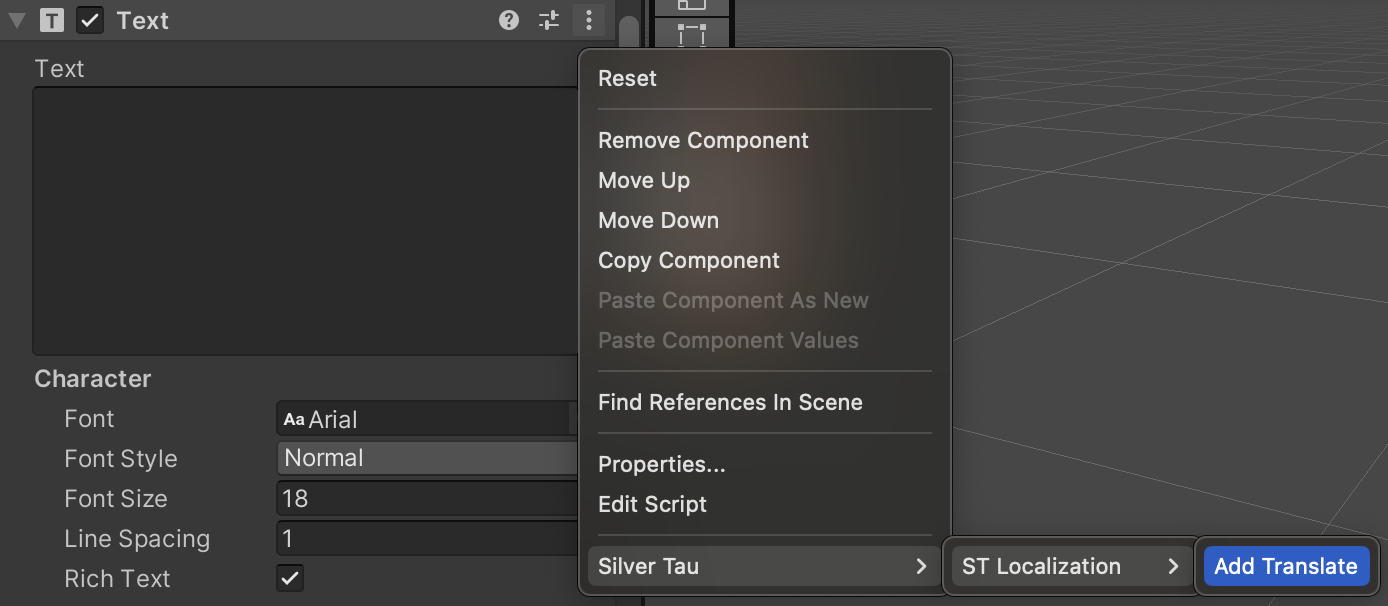
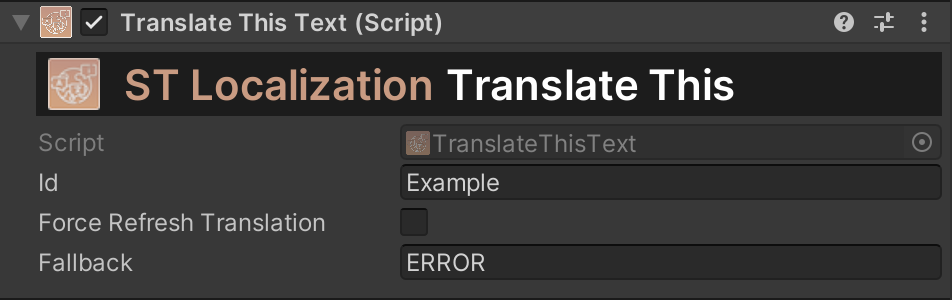
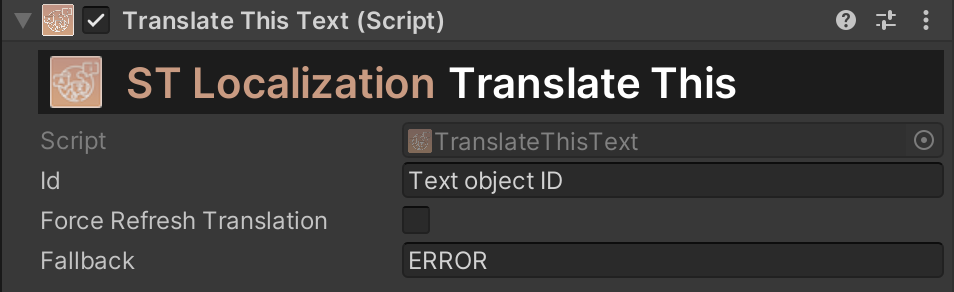
Next, go to the GameObject of the selected type and add a translation. Be sure to include the ID in the translation.
Done, the component will be automatically translated.
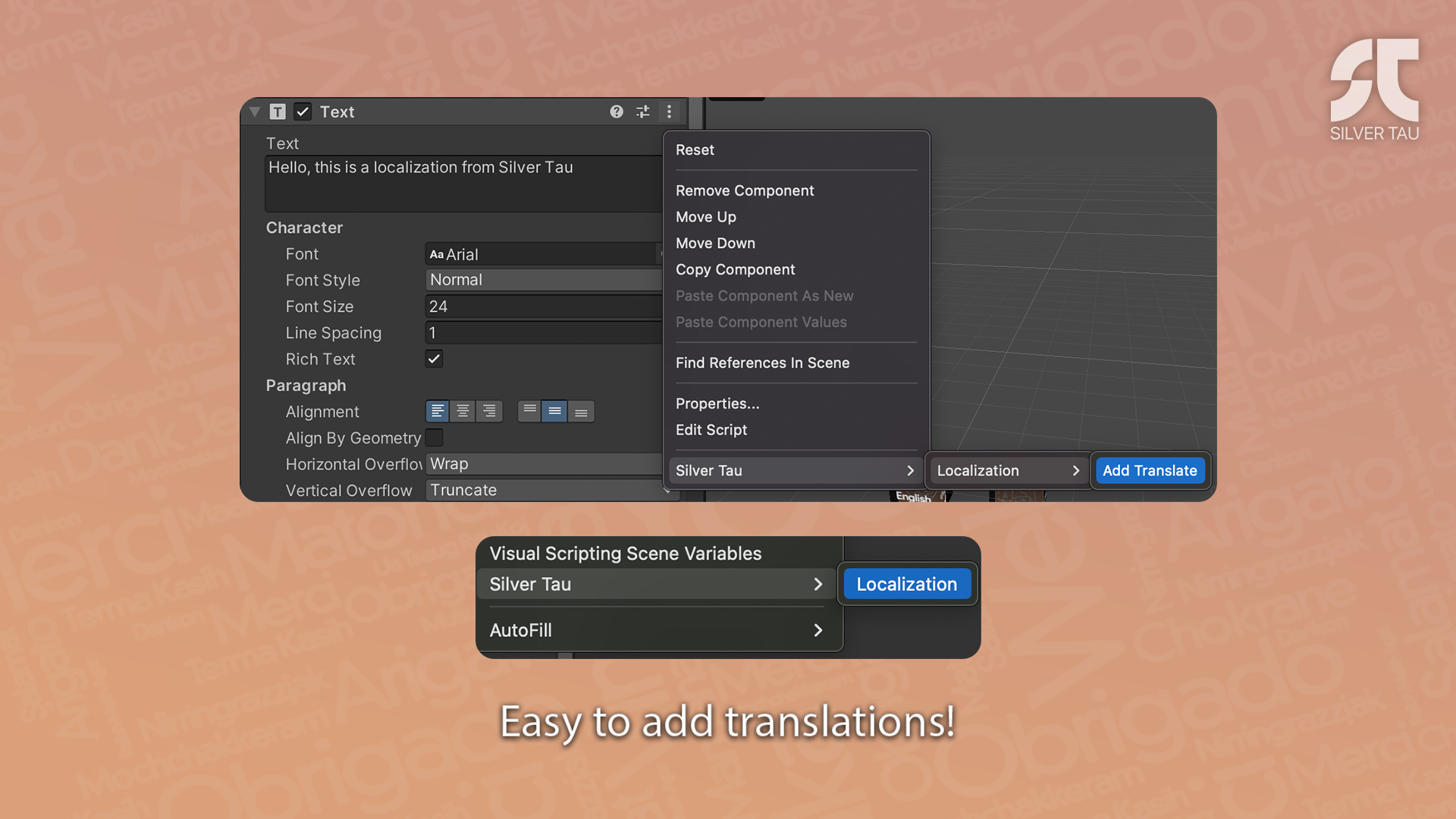
Add a translation without an existing translation list:
Go to the GameObject of the selected type and add a translation. Be sure to include the ID in the translation.
As soon as a translation sheet is added or updated, the translation will be automatically applied.
Done, the component will be automatically translated.
Universal Render Pipeline
No special settings are required when using the Universal Render Pipeline. The whole process is automated.
ST Localization
The main component is multi-platform and responsible for the availability of languages and translations.
Actions
Use this to create some dynamic functionality in your scripts. Unity Actions allow you to dynamically call multiple functions.
| onExternalLoadSuccessful |
An action that is called after a file is successfully uploaded. |
| onLanguageReady |
An action that is called after the preparation of the main components is completed. |
Examples of use:
Add a "Translation" object:
{
  private void Translate()
  {
    // Create a new GameObject
    var exampleObject = new GameObject();

    // Add a component of the type you need. For example, we use Text.
    var exampleText = exampleObject.AddComponent();

    // Call the translation extension method and provide the necessary information.
    exampleText.Translate("Test text ID", "ID is missing!", OnSuccessful, OnError);
  }

  private void OnSuccessful()
  {
    // The operation was successful.
  }

  private void OnError()
  {
    // The operation was performed with an error.
  }
}
Translate a string:
{
  private void Translate()
  {
    var translatedText = STLocalization.Instance.TranslateThis("Text object ID");
  }
}
Change the language:
{
  private void ChangeLanguage()
  {
    LocalizationManager.Instance.ChangeLanguage("English");
  }
}
Automatic language detection:
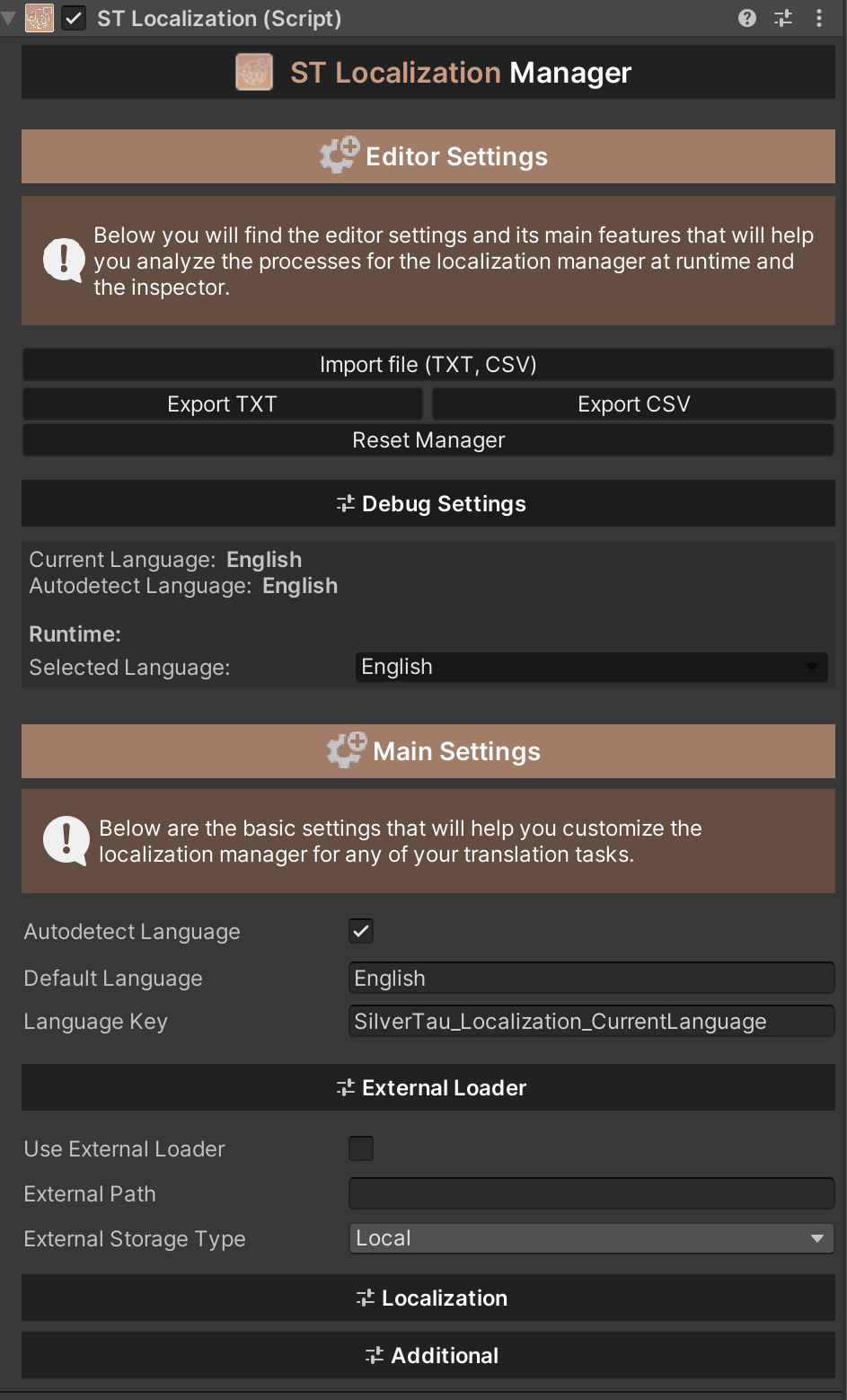
To automatically detect the language of the device, activate the "autodetectLanguage" parameter.
External loader:
To use an external loader, activate the "useExternalLoader" parameter. This is parameter that allows you to upload a file with language translations.
Next, specify the path to the file and select the type of storage from which the download will be performed.
Note
If you are using an external loafer, as soon as the application is launched, the download of the file with translations you need is activated.
Also, if you are using internal download environments such as Resources and StreamingAssets, specify the path to the file only the folder where the file is located and the name. For example, "/folder/file.csv" or "file.csv".
Additional:
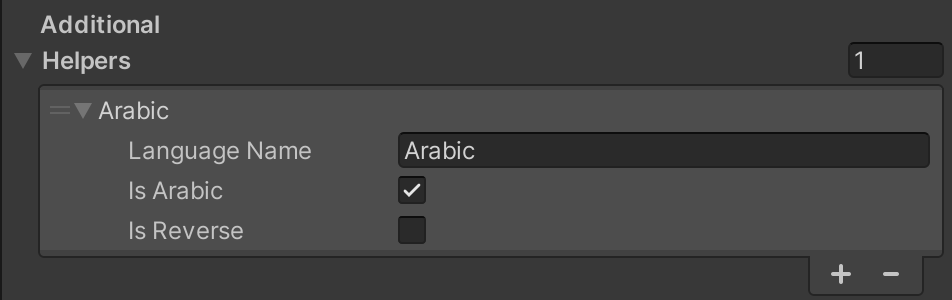
Additional features include auxiliary methods for implementing translation. For example, when you need to translate into Arabic, you need to keep the correct spelling.
Add a new element to the additional list and specify for which language it will be applied "languageName" and what functions you want to implement "isArabic", "isReverse".
File structure:
This is an example of a file for reading languages and translations. The basic principle of the file structure is similar to the structure of .csv tables.
Parameters that are required to be written:
- ID;
- List Languages (comma-separated list of languages);
Parameters that are optional for recording:
- Type (type of translation);
Note
If the Type is missing, the default Text type will be set.
Example file (table without Type):
| ID |
English |
German |
| Header_Title |
Hello, this is a localization from Silver Tau |
Hallo, dies ist eine Lokalisierung von Silver Tau |
| Language_English |
English |
Englisch |
| Language_German |
German |
Deutsch |
Example file (table with Type):
| ID |
Type |
English |
German |
| Header_Title |
Text |
Hello, this is a localization from Silver Tau |
Hallo, dies ist eine Lokalisierung von Silver Tau |
| Language_English |
Text |
English |
Englisch |
| Language_German |
Text |
German |
Deutsch |
Translation Object
An abstract class that is used for inheritance and performs binding translation functions.
Examples of use:
Custom use:
[RequireComponent(typeof(Text))]
public class TranslateCustomText : TranslationObject
{
  #region PRIVATE VALUES

  private Text _text;

  #endregion

  #region LOCALIZATION METHODS

  // A method that helps to update a certain type of translation.
  protected override void Refresh()
  {
    // Custom action...
  }

  // A method that signals that the translation has been completed successfully and is of a certain type.
  // result > Result object.
  protected override void OnSuccessful(object result)
  {
    base.OnSuccessful(result);

    // Custom action...
  }

  // A method that signals that the translation has failed with an error.
  protected override void OnError()
  {
    base.OnError();

    // Custom action...
  }

  #endregion
}
Import/Export
ST Localization Manager has translation import/export functions. Using these functions, you can easily and quickly import a prepared translation file to the stage or export it from the stage.
What's new
Version [1.1.0]
Updated
- Localization;
- Localization Manager;
- Documentation;
- Examples;
Fixed
Upgrade guide
You can easily upgrade to a new version of the package without any problems for your project.
Changelog
Expand
## [1.1.0] - 2025-05-27
### Updated
- Localization;
- Localization Manager;
- Documentation;
- Examples;

### Fixed
- Minor bugs;

## [1.0.4] - 2024-02-11
### Added
- Translation type - Game object;
- Translation type - Mesh;

### Updated
 - Localization;
 - Localization Manager;
 - Translation objects;
 - Examples;

### Fixed
 - Minor bugs;

## [1.0.3] - 2023-12-12
### Added
- Simple Google Sheets;

### Updated
 - Localization;
 - Localization Manager;
 - Translation objects;

### Fixed
 - Minor bugs;

## [1.0.2] - 2023-10-09
### Updated
 - Localization;

### Fixed
 - Minor bugs;

## [1.0.1] - 2023-10-03
### Updated
 - Localization;

### Fixed
 - Automatic language detection;
 - External loader;

## [1.0.0] - 2023-07-01
### Added
 - Release;